Figma-style comments,
anywhere.
Catch bugs before your customers do. Pin feedback on any site or design, your team replies, and your coding agent fixes it.
Chrome extensionWorks on localhost
How it works
Feedback that lands where the problem is.
“The button in the second card looks off” stops being a scavenger hunt. The comment is on the button.
Pin it
Press Alt Shift C and click the element. The pin stays on it through scrolling, resizing and layout changes, even inside modals.
Talk it through
Teammates see pins, replies and who else is on the page, live. Type @ to mention someone: they get an email that opens on the exact element.
Hand it off
Copy a bug report into your tracker, or let Claude Code, Cursor or Codex read the comments, fix them and mark them resolved.
For engineers
The context comes with the comment.
No more “can you send a screenshot?” or “what browser were you on?”.
- A screenshot of the moment, with the pin marked. Password and card fields are hidden automatically, and anything else can be blurred before posting.
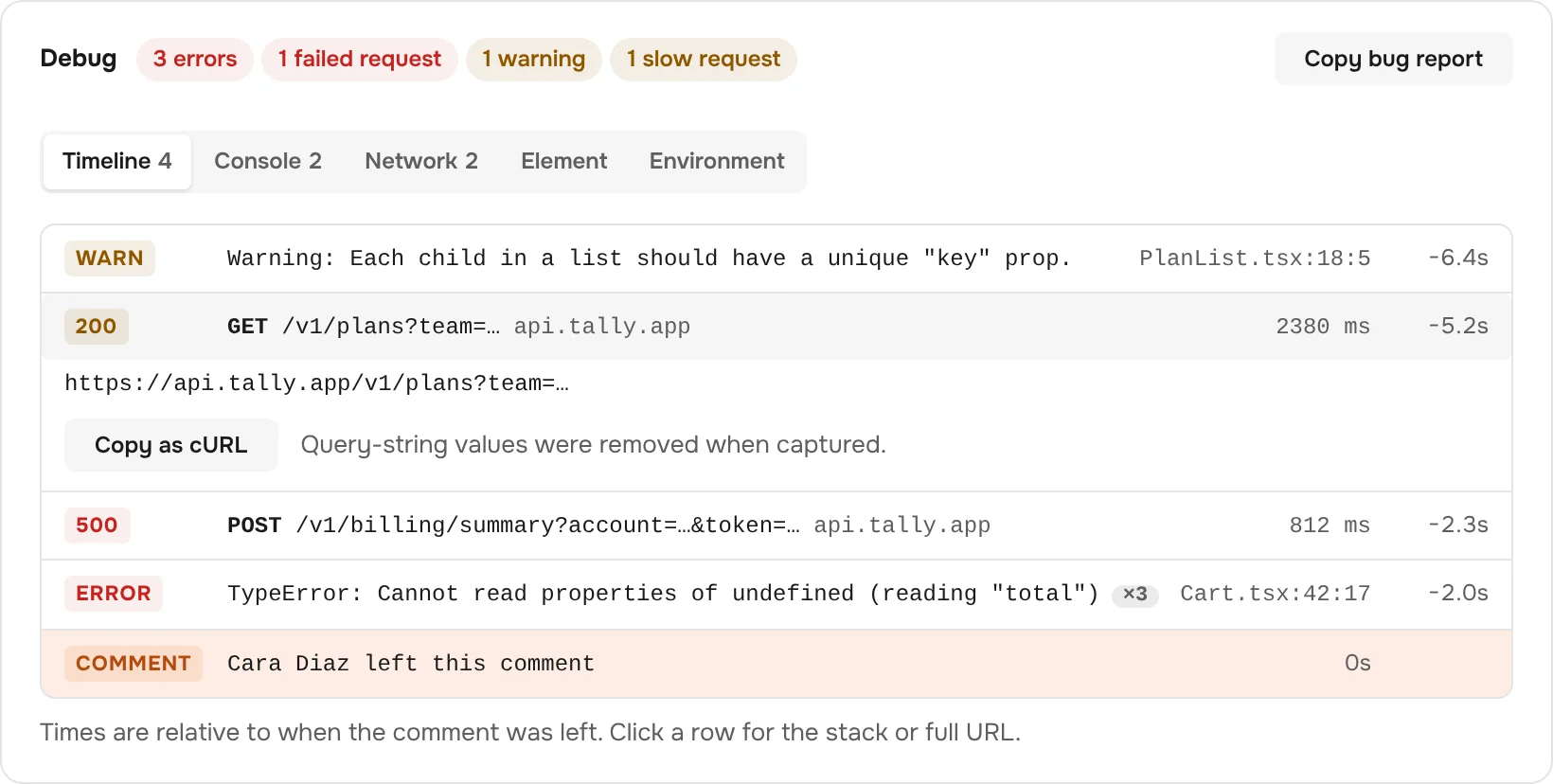
- Console errors and failed requests from just before the click, on one timeline, with the source file and line.
- The element itself: selector, text and HTML, plus viewport and browser.
- One click to a bug report in Markdown, ready for GitHub, Linear or an agent.
Console and network capture is opt-in per team. Query-string values and form input values are removed before anything is stored.
Behind a login
See what they saw, even without their account.
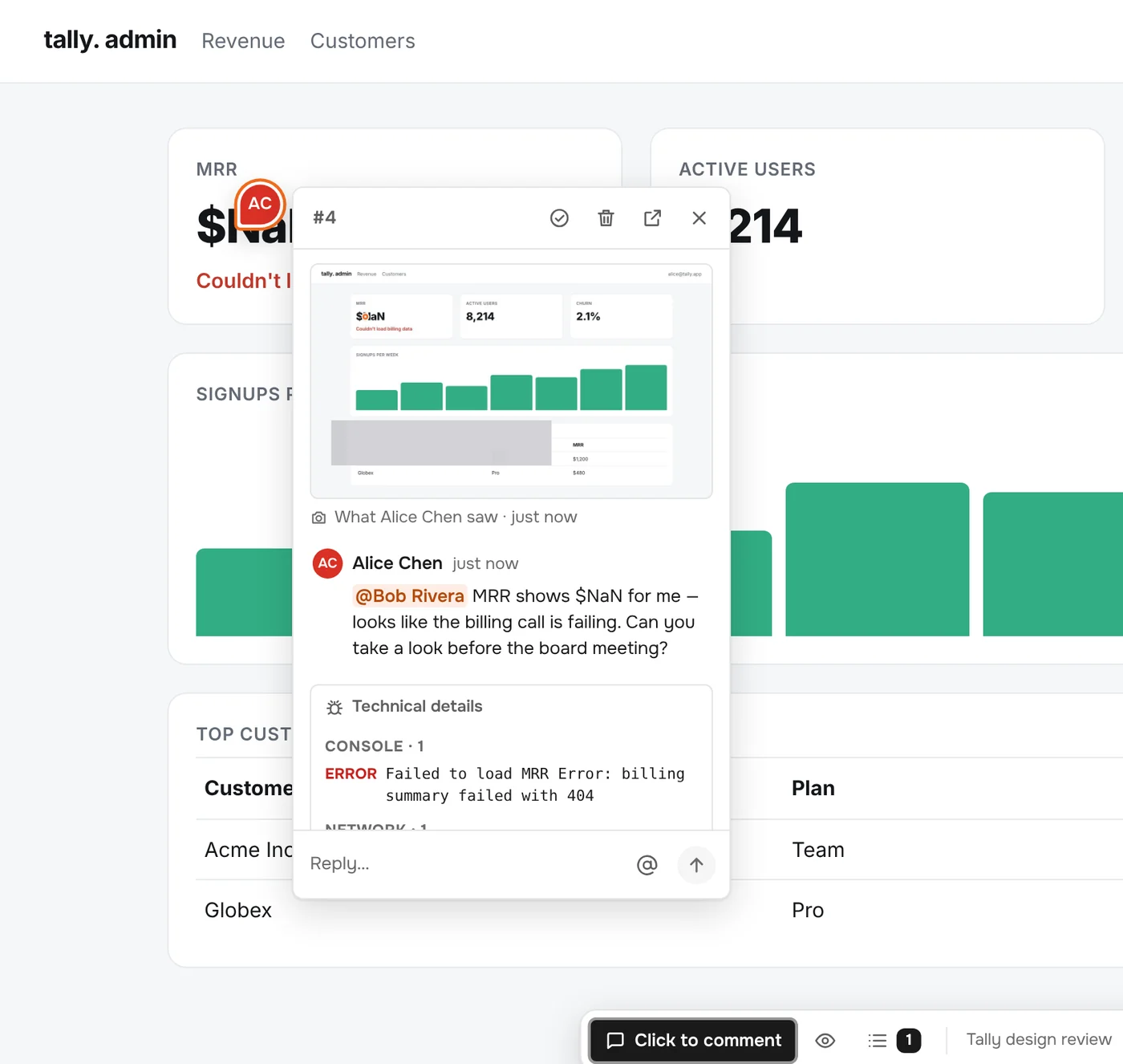
Your CEO spots something in the admin dashboard. You can’t sign in as them, and you don’t need to.
- A page for every comment, with the screenshot, conversation and technical details, for anyone on the team.
- “Open in app” takes people with access straight to the element, through the app’s own sign-in if it asks for one.
- No access? Striker says so instead of leaving people on a login screen, and links back to the comment.
Coding agents
Your agent reads the comments too.
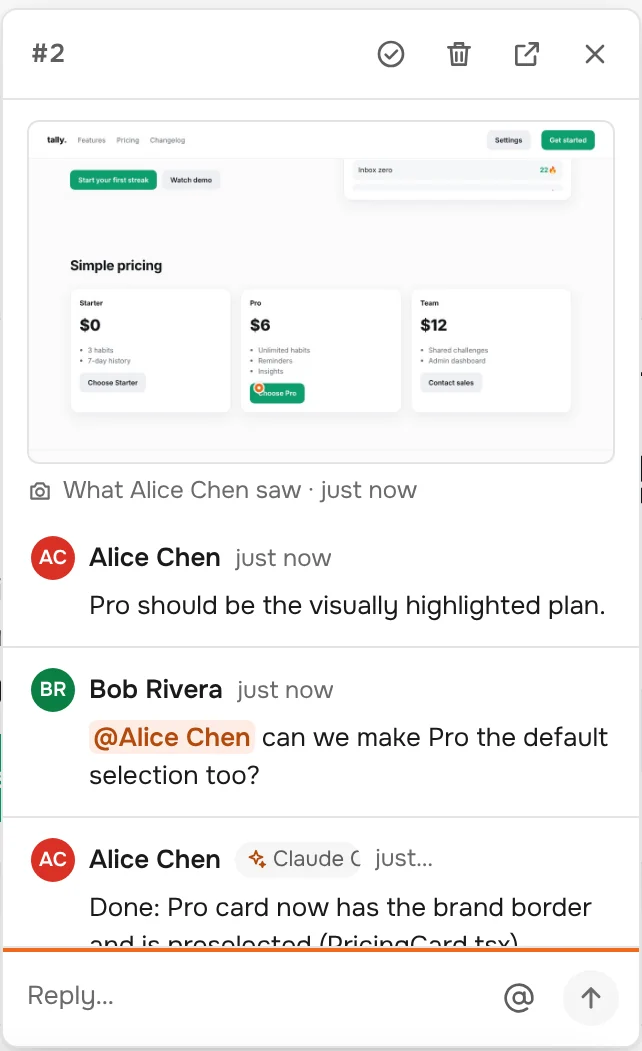
Striker runs an MCP server. Agents get each comment with its screenshot and errors, reply in the thread, and resolve what they fixed.
For teams
A project for every app. A role for every person.
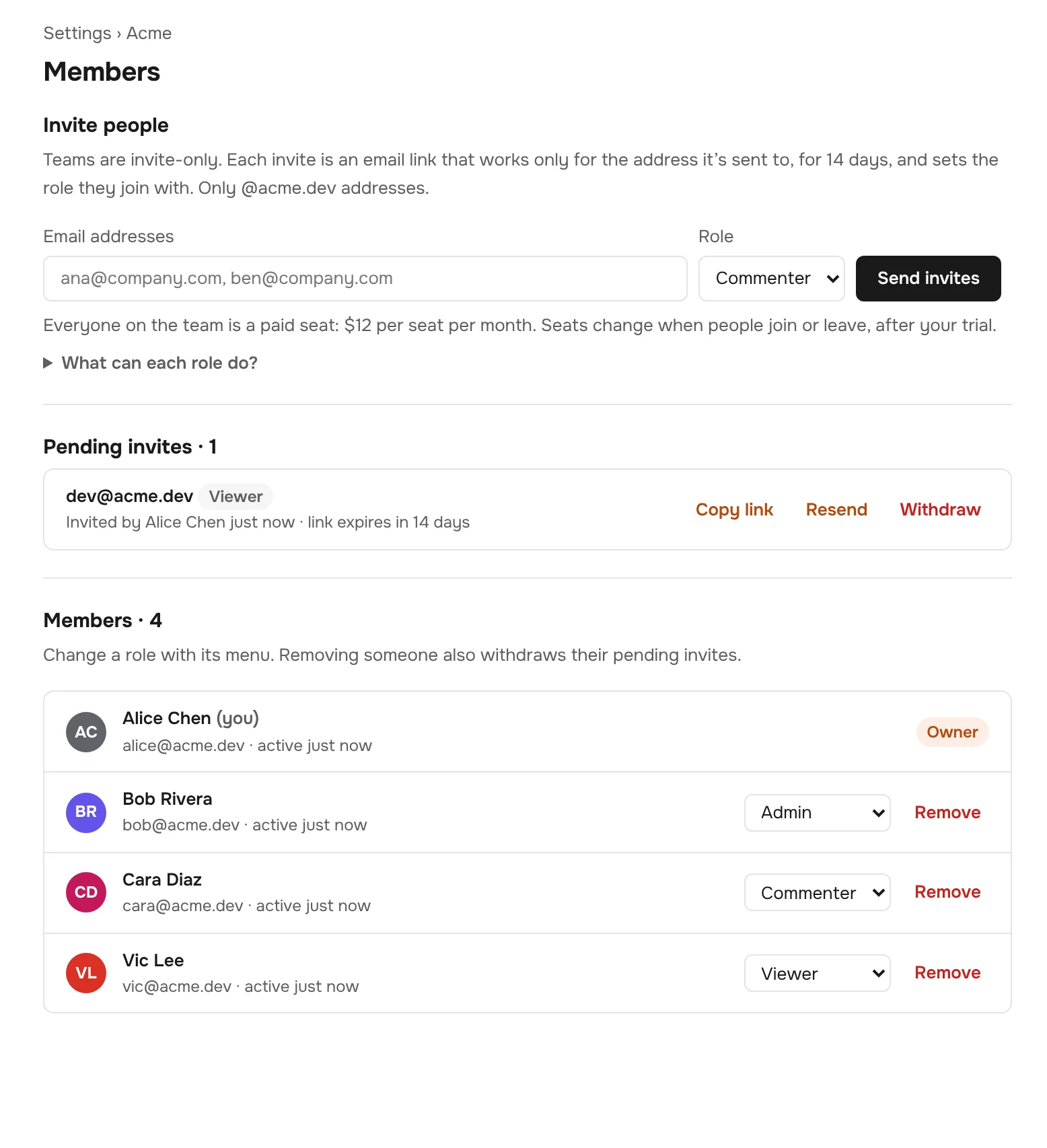
Set up a project for each app you review, invite the people who should weigh in, and decide what each of them can do.
- Create projects for each app, and keep its production, staging and localhost sites together. The first comment on a new site starts one for you.
- Invite your team by email. Each link only works for that address and sets the role the person joins with. Limit invites to your domain and choose who may send them.
- Scope what each person can do with their role, and change it any time:
| Owner | Everything, including billing and deleting the team. |
|---|---|
| Admin | Members, invites, projects and team settings. |
| Commenter | Comments, replies and resolves. |
| Viewer | Reads everything and can be @mentioned, but doesn’t comment. |
- One account for the extension and the web app.
- An audit log and a full export, so you always know who changed what, and can take your data with you.
Pricing
One plan. Pay for the people on your team.
This server
for everyone on this Striker server
- Unlimited comments, projects and sites
- Screenshots, console errors and failed requests
- Coding agents over MCP and the CLI
- Roles, audit log, export
Who counts as a user?
Anyone who can comment or view comments: owners, admins, commenters and viewers. Invited people start counting when they join, and the bill follows automatically when people join or leave.
What happens after the trial?
An owner adds a card and you carry on. If nobody does, the team stays readable, but commenting and inviting pause until someone subscribes. Nothing is deleted.
Questions
Good to know.
Does it work on localhost and preview deploys?
Yes. Striker works on any http or https page: production, staging, Vercel or Netlify previews, and localhost. Group them into one project so prod, staging and local comments live together.
Which browsers does it support?
The extension runs in Chrome and Chromium-based browsers such as Edge, Brave and Arc. The Striker web app, where you read and reply to comments, works in any modern browser.
Can the page I’m commenting on see my comments?
No. Striker draws its overlay in a closed shadow root, so the page’s own scripts and session-replay tools can’t read it. The extension only connects on sites your team has commented on, or when you turn it on.
What exactly gets stored with a comment?
The element’s selector and text, the viewport and browser, and a screenshot with password and card fields hidden (you can blur or remove it before posting). Console errors and failed requests are only kept if your team turns that on, with query-string and input values removed.
Who can see our comments?
Only members of your team. Teams are invite-only, and the links in notification emails open one comment for one person and expire after 14 days.
Do I need the extension to take part?
To pin new comments, yes. Everyone else can read, reply and resolve from the web app or straight from their email, including people who can’t sign in to the app being reviewed.
Go on the offensive. Fix it before anyone reports it.
Set up your team in a minute, then pin the first comment.